If you are still using stock GNU tools and macOS Terminal.app, you are voluntarily slower than necessary.
Modern CLI tooling is faster, clearer, and built for how developers actually work.
This is the pragmatic stack. No fluff. No legacy baggage. CLI only.
1. Core Command Replacements
These replace what you type hundreds of times per week.
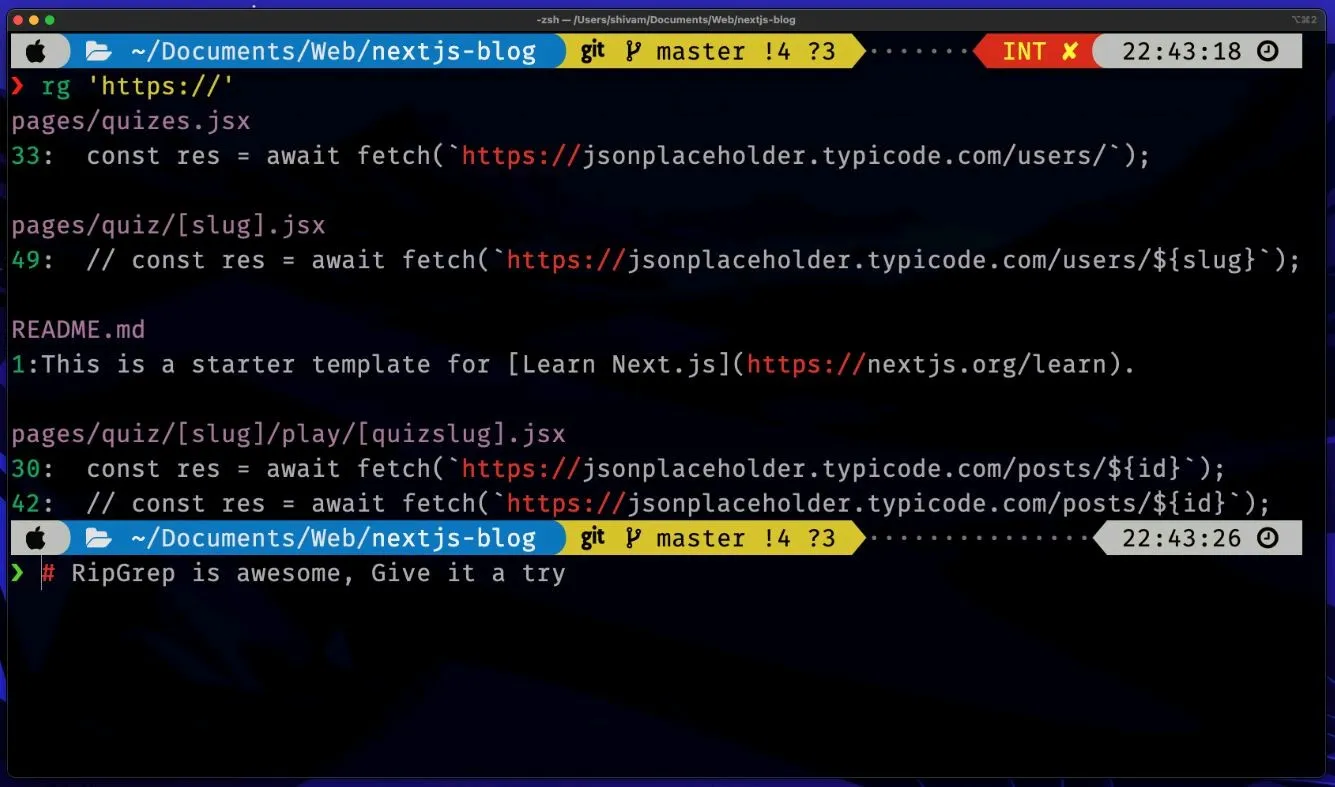
grep → ripgrep (rg)
Install
brew install ripgrepOld
grep -r "foo" .Modern
rg fooWhy rg:
- Respects
.gitignoreautomatically - Recursive by default
- Extremely fast
- Clean colored output
Stop waiting on grep -r.
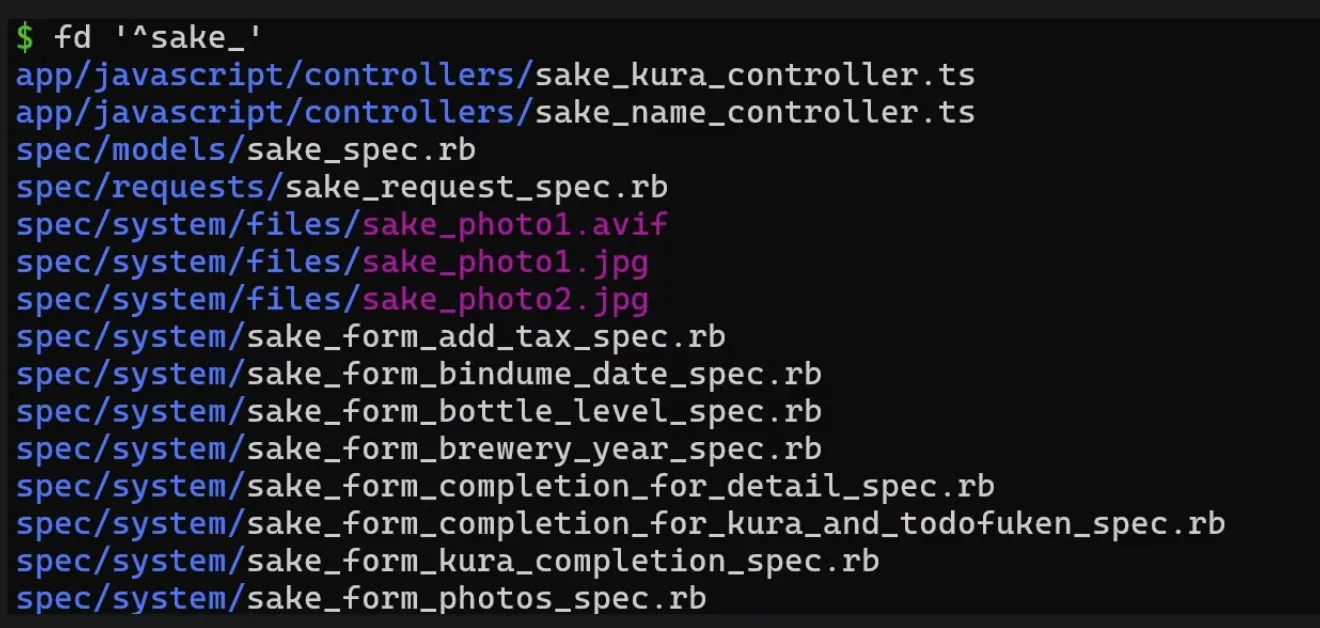
find → fd
Install
brew install fdOld
find . -type f -name "*.ts"Modern
fd -e tsWhy fd:
- Human-readable syntax
- Parallel execution with
x - Colorized output
- Much faster
find syntax is archaeology.
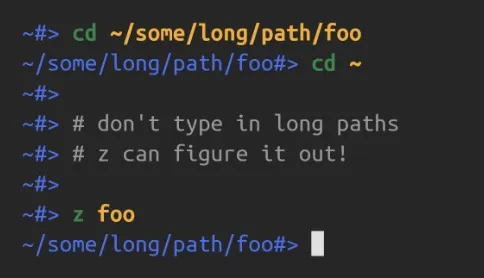
cd → zoxide
Install
brew install zoxideAdd to .zshrc:
eval "$(zoxide init zsh)"Now:
z backendInstead of:
cd ~/projects/company/backend/srcWhy zoxide:
- Tracks where you go
- Uses frecency (frequency + recency)
- Instantly jumps to likely targets
This is filesystem teleportation.
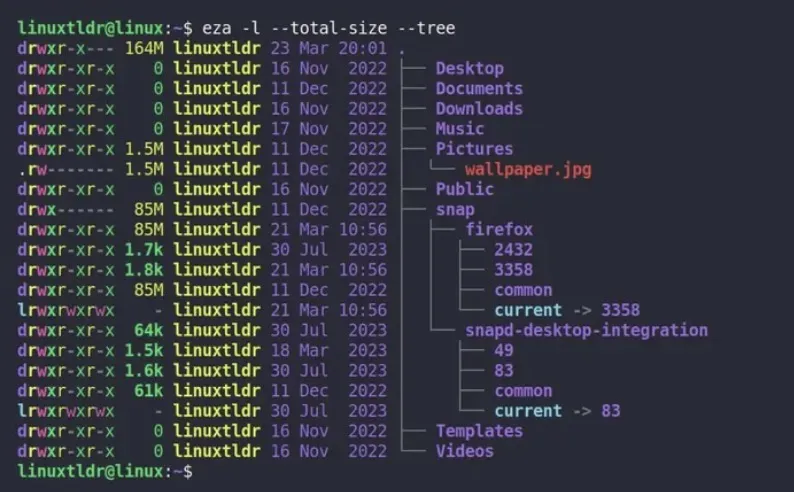
ls → eza
Install
brew install ezaAdd:
alias ls='eza --icons'Why eza:
- File icons
- Git status indicators inline
- Better tree views
- Clear color coding
Plain ls feels blind after this.
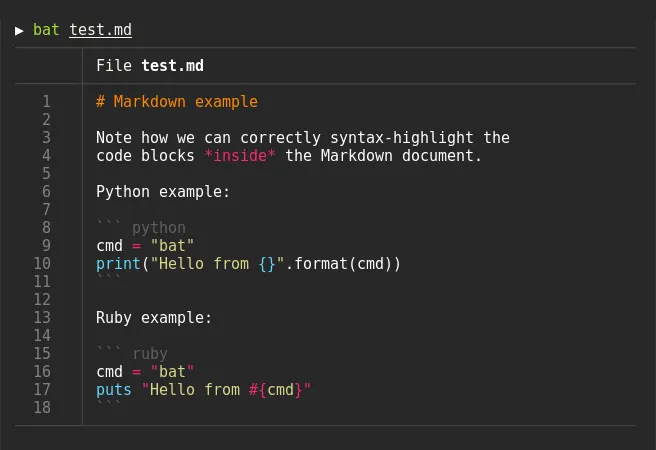
cat → bat
Install
brew install batAdd:
alias cat='bat'Why bat:
- Syntax highlighting
- Line numbers
- Git diff indicators
- Auto paging
cat is for pipes. bat is for humans.
2. The Glue Tool: fzf (Mandatory)
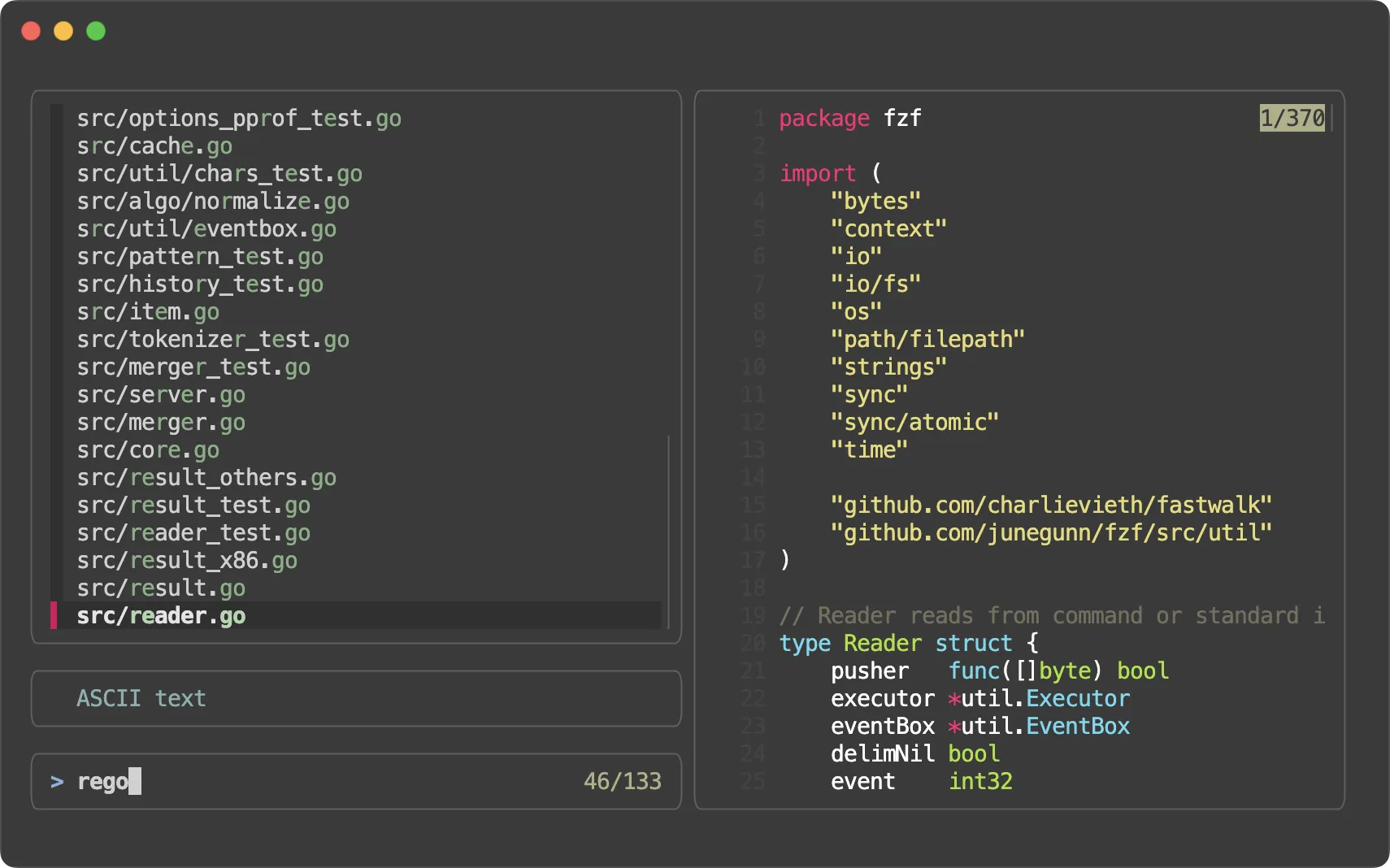
If you are on macOS and not using fzf, you are playing on Hard Mode.
Install
brew install fzf
$(brew --prefix)/opt/fzf/install
Enable keybindings during install.
What You Get
CTRL-R→ Fuzzy search shell historyCTRL-T→ Fuzzy insert file pathALT-C→ Fuzzy-find directory and cd into it
This alone upgrades your shell UX.
fzf + bat Preview (File Browser Mode)
Add this alias:
alias p='fzf --preview "bat --color=always --style=numbers --line-range=:500 {}"'Now:
fd | pYou scroll files and see live syntax-highlighted previews.
This is what file navigation should feel like.
3. Git Diff Upgrade: delta
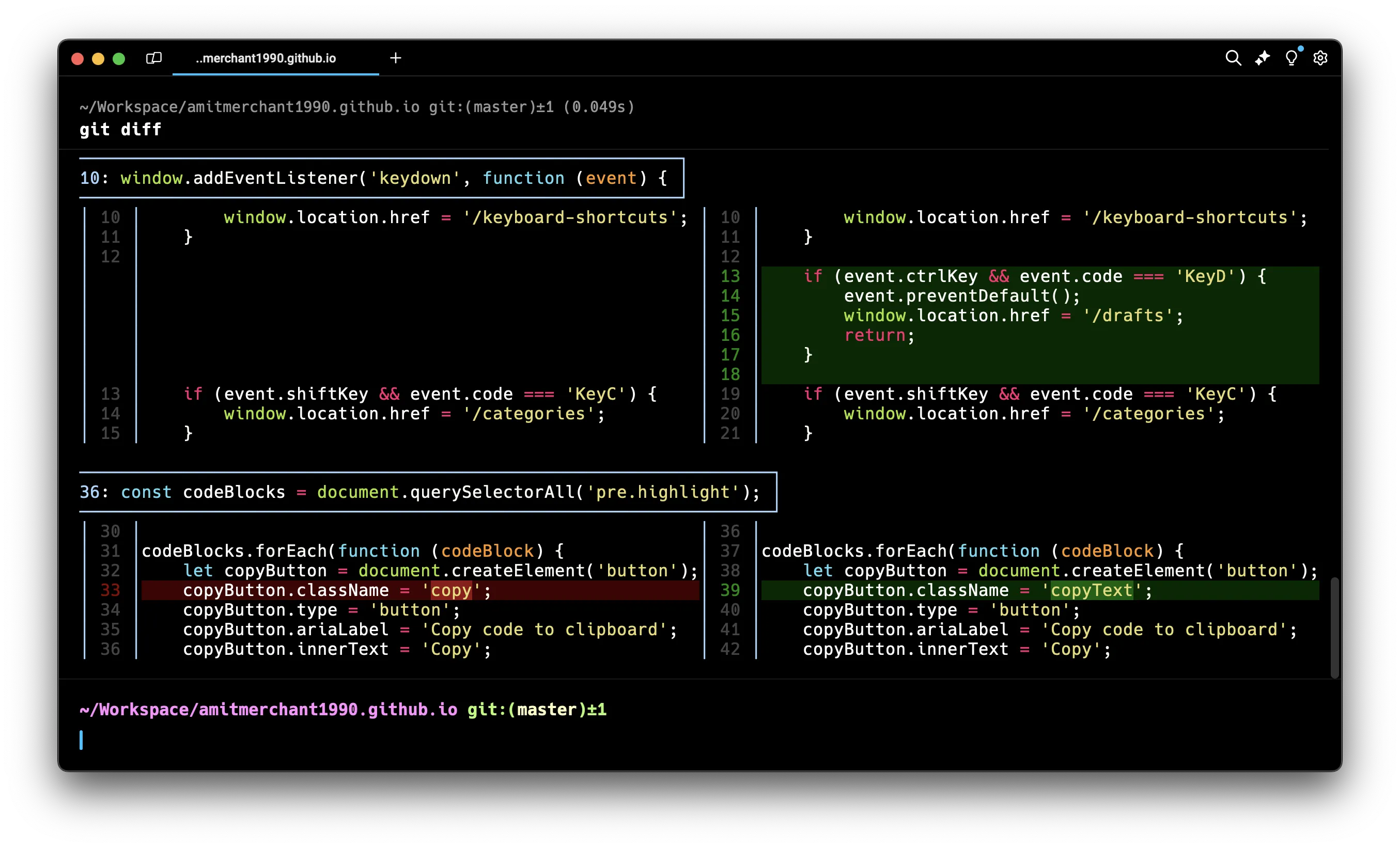
bat is good for files.
delta is king for diffs.
Install
brew install git-deltaAdd to ~/.gitconfig:
[core]
    pager = delta
Why delta:
- Syntax-highlighted diffs
- Side-by-side mode
- Word-level diffing
- Smooth navigation in large PRs
After this, raw git diff looks primitive.
4. System & Disk Tools
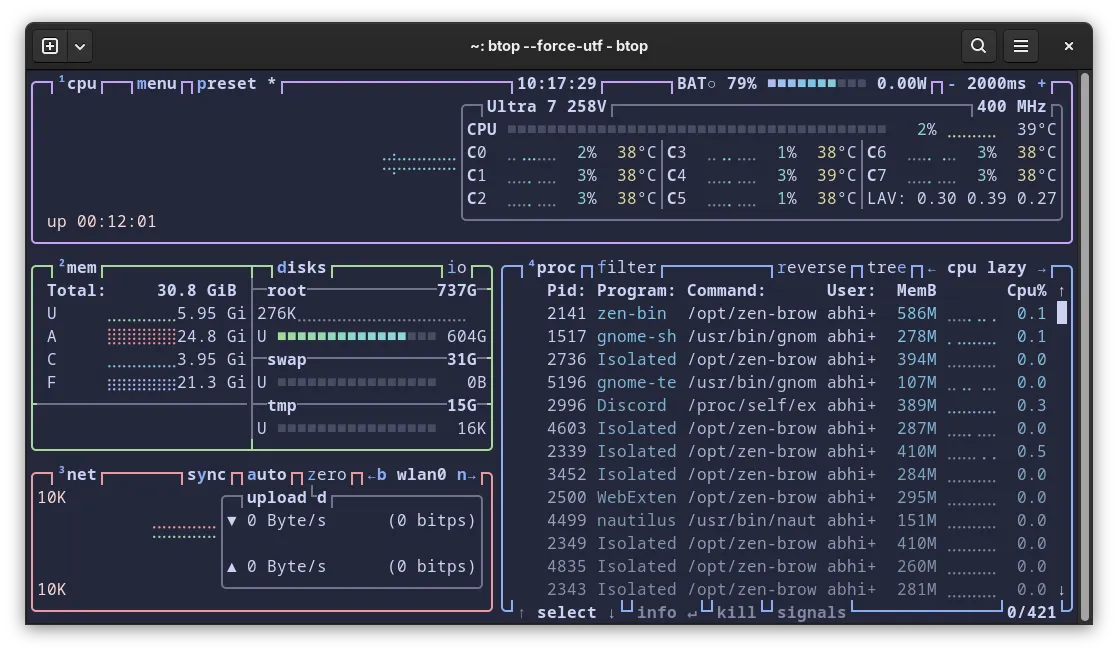
top → btop
Install
brew install btopRun:
btopWhy:
- CPU, memory, disk, network graphs
- Mouse support
- Clean UI
- Replaces both
topandhtop
du → dust
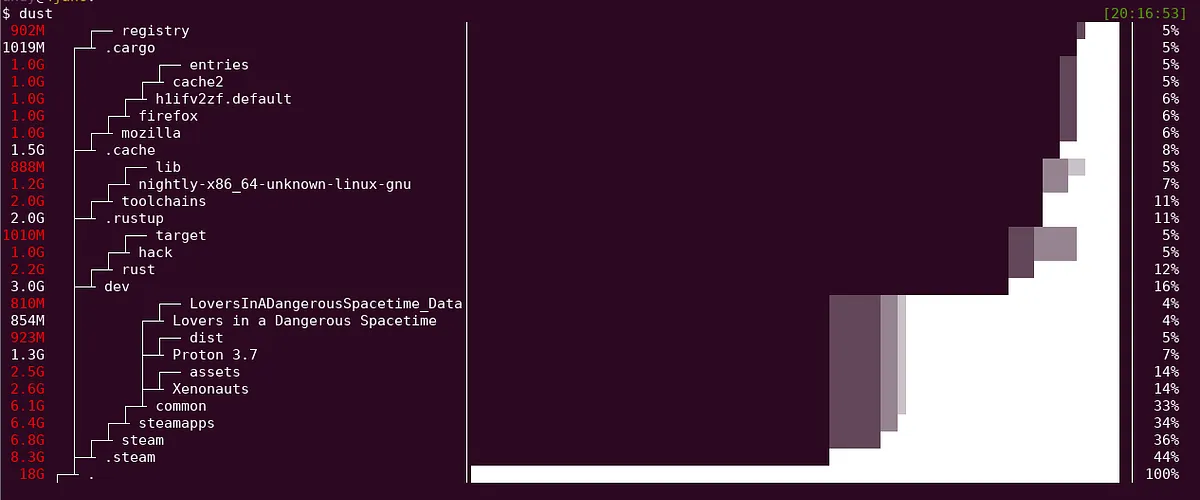
Install
brew install dustRun:
dustWhy:
- Visual tree of disk usage
- Quickly find what is eating your SSD
- Actually readable output
man → tldr
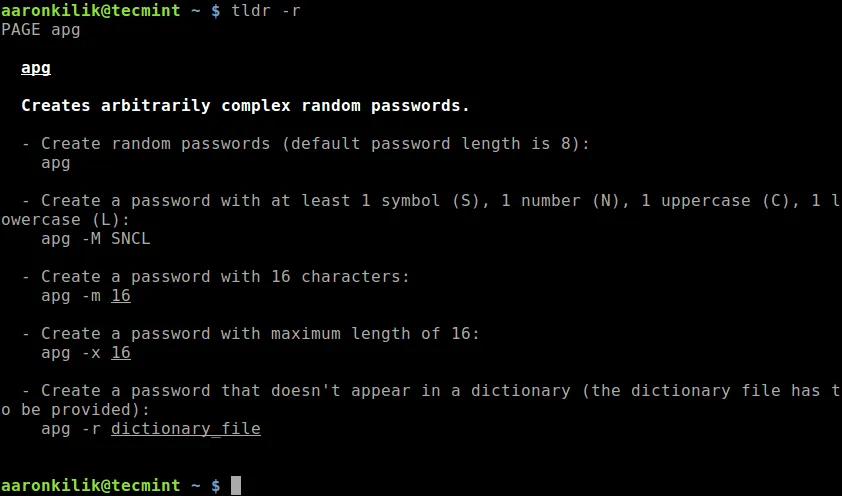
Install
brew install tldrUse:
tldr tarWhy:
- Shows common examples
- No 50-page manuals
- Gets you unstuck fast
Alias it:
alias help='tldr'5. LazyGit & LazyDocker: Stop Typing Boilerplate
If you are manually typing repetitive git and docker commands all day, you are burning time for no reason. These two tools eliminate friction without forcing you into a bloated GUI.
LazyGit
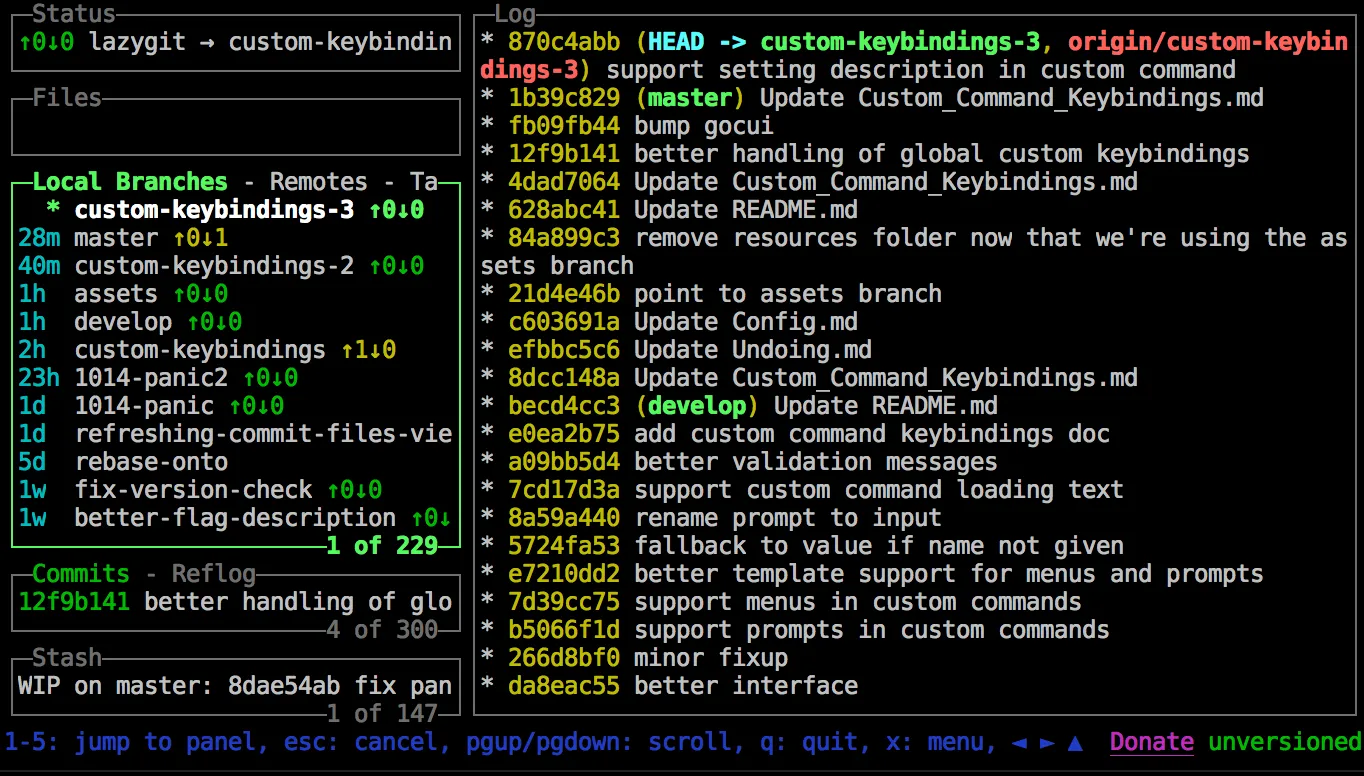
Install (macOS)
brew install lazygitRun:
lazygitWhat It Replaces
Instead of:
git status
git add -p
git commit
git push
git checkout -b feature-x
git rebase -i main
You open lazygit once and handle all of it interactively.
Why It Matters
- Stage individual hunks visually (no
add -pmental gymnastics) - Resolve merge conflicts with a proper side-by-side layout
- Browse commit history fast
- Interactive rebase without memorizing flags
- Manage branches and stashes cleanly
- View diffs with your configured
deltapager
It is still Git. It just removes friction.
If you work in large repos, this saves real minutes every day.
LazyDocker
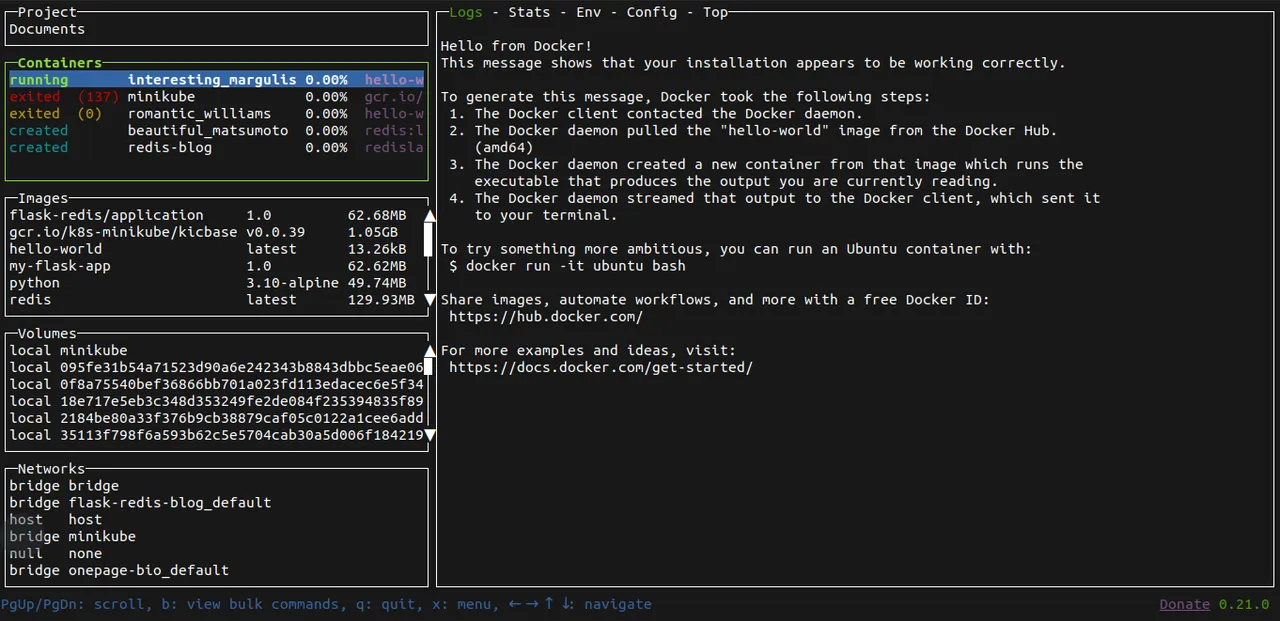
Install (macOS)
brew install lazydockerRun:
lazydockerWhat It Replaces
Instead of:
docker ps
docker logs -f container_name
docker exec -it container bash
docker stop container
docker images
docker stats
You get a live TUI dashboard.
Why It Matters
- See all running containers instantly
- Live logs with scrollback
- Exec into containers with one key
- View container stats (CPU, memory) in real time
- Manage images, volumes, networks in one place
- Stop/restart containers without retyping names
This removes constant context switching between commands.
6. Practical Alias Layer (Make It Stick)
If you do not override muscle memory, you will revert to defaults.
Add to .zshrc (or your chosen terminal shell’s config file):
alias ls='eza --icons'
alias cat='bat'
alias grep='rg'
alias find='fd'
alias cd='z'
alias help='tldr'
alias git='lazygit'
alias docker='lazydocker'
fzf-Powered Workflow Aliases
Fuzzy Open File with Preview
alias v='fd --type f | fzf --preview "bat --color=always {}"'Fuzzy Kill Process
killf() {
  ps -ef | fzf --header "Select process to kill" | awk "{print \\$2}" | xargs kill -9
}
7. The Modern CLI Stack Summary
| Legacy | Modern | Why |
|---|---|---|
| grep | rg | Faster + git-aware |
| find | fd | Human syntax |
| cd | zoxide | Intelligent jumping |
| ls | eza | Git-aware listings |
| cat | bat | Highlighted + paged |
| top | btop | Visual dashboard |
| du | dust | Disk tree view |
| man | tldr | Example-driven help |
| git diff | delta | Proper diff UI |
| history search | fzf | Fuzzy interactive |
Minimal macOS Install (All at Once)
brew install ripgrep fd zoxide eza bat fzf git-delta btop dust tldrThen configure:
zoxidefzf- Git pager →
delta - Aliases in
.zshrc
That is the baseline.
Everything else is optional.